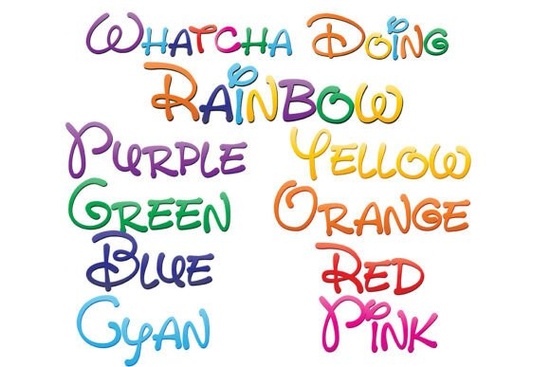
If you need a playful way to add instant visual interest to your projects, the Whatcha Doing Font collection handles that efficiently. This set includes nine full-color open-type svg files designed with a whimsical, hand-written print style. Instead of manually coloring each letter or adjusting clipping masks, you receive ready-to-use typography that flows through a smooth gradient. Designers, crafters, and print-on-demand sellers can drop these vector-based letters into any layout, knowing they scale cleanly from a tiny sticker label to a large event banner.
How do full-color svg fonts actually work in my software?
The package relies on opentype svg formatting, which stores both path data and fill colors inside a single .otf file. When you install the files through fontbook on mac or your standard font manager on windows, your system registers them like any ordinary typeface. You may notice the font list displays everything in black because many editors render preview lists monochromatically. That is expected. The true colors appear the moment you type inside your canvas. If your program supports embedded palette data, the text will automatically shift through the intended gradient.
Which tools handle gradient letter styles most reliably?
Not every application reads color typography correctly, so verifying your workflow saves time. Adobe creative cloud applications display the full palette accurately. Silhouette studio users report smooth rendering when outlining letters for vinyl cutting. Quarkxpress and inkscape also preserve the vector paths while maintaining the embedded fills. Because the glyphs remain fully scalable vectors, resizing them repeatedly causes no pixelation. Crafters who convert outlines to shapes before exporting will find clean cuts ready for their preferred printing method.
Exploring additional multi-hue typography packs keeps your asset library fresh, and browsing dedicated sections for gradient letter sets makes finding matching styles much faster. When you gather related resources early, you reduce file management clutter and focus more on layout composition.
What variations are included in this download?
The package contains nine distinct files, each highlighting a different portion of the spectrum before merging everything together. You can pick individual shades to match a specific brand palette or seasonal theme, then switch to the unified version when you need maximum vibrancy. The complete lineup covers:
- Whatcha Doing Red Gradient starts the sequence with warm foundational tones
- Whatcha Doing Orange Sweep adds bright mid-range warmth
- Whatcha Doing Yellow Fade brings sunny highlight energy
- Whatcha Doing Green Shift introduces fresh natural contrast
- Whatcha Doing Blue Tone delivers calm steady coverage
- Whatcha Doing Indigo Wave deepens the middle register
- Whatcha Doing Violet Blend finishes the primary arc
- Whatcha Doing Prism layers adjacent hues for softer transitions
- Whatcha Doing Allure merges every shade into one continuous flow
Having all nine options available in a single purchase removes the guesswork when matching colors to existing designs. You can swap a dominant hue to align with quarterly branding updates without downloading separate assets.
Are these ready for commercial and client projects?
Small business owners often wonder whether colorful typography requires special licensing or production steps. Standard creator licenses typically cover physical merchandise sales, digital products, and marketing materials, though verifying your specific terms remains important. The vector nature of these files means you can export high-resolution images for direct-to-garment printing, flatten transparent backgrounds for sticker sheets, or send outlined paths straight to your cutter. Many sellers appreciate that the built-in gradients eliminate the need for custom shape masking or multi-layer tracing workflows.
How should I manage installation and workflow setup?
After extracting the zip archive, locate the .otf files and use your system font manager to approve the installation. Mac users generally see a preview dialog where clicking activate adds the typeface to the local library. Windows users navigate through settings to finalize the process. Once registered, the fonts appear alongside other installed families in your dropdown menus. Creating a dedicated folder named after the collection helps keep your asset tracker tidy.
If your design program still shows monochrome text, verify that you selected the correct family name rather than an outline-only variant. Clearing the cache or restarting the application usually resolves temporary recognition delays. Keeping your editing software updated ensures continued support for embedded svg color pathways.
Next steps for getting started today
- Install the .otf files using your system font manager
- Open a blank canvas sized for your target medium
- Type a sample phrase to confirm color rendering matches expectations
- Test export formats including pdf, svg, and high-res png before batch processing
- Archive source files in a labeled project folder for quick access
Following this straightforward routine guarantees consistent results across digital mocks and physical prints. Keep your software updated, verify color profiles before final exports, and let the built-in gradients handle the heavy lifting while you focus on layout and messaging.
Learn More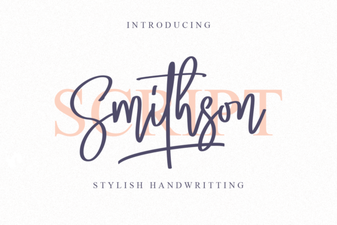 Smithson Font: Modern Design for Digital Projects
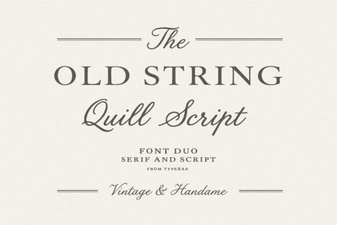 Old String Font Styles for Modern Projects
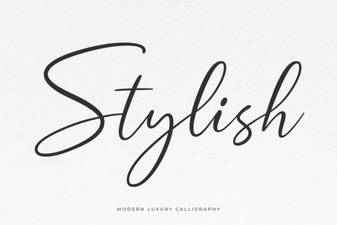 Unleash Creativity with Stylish Fonts for Design
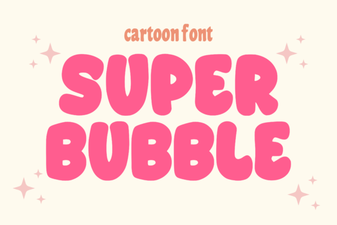 Crafting with Super Bubble Fonts for Projects
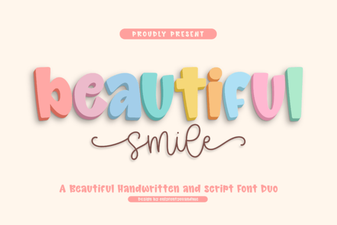 Beautiful Smile Font: a Creative Web Project
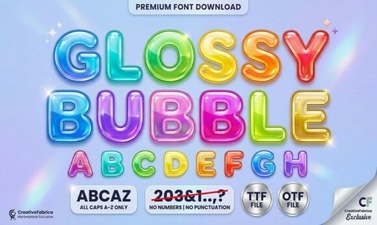 Designing with Glossy Bubble Fonts for Creative Projects