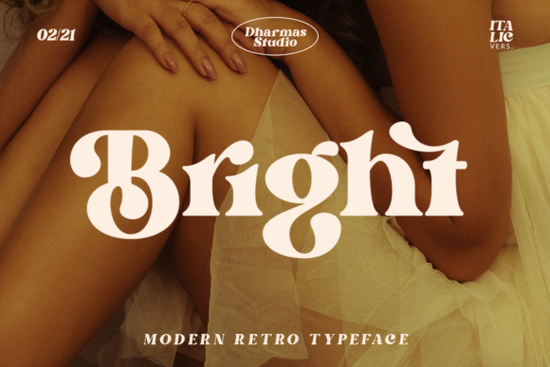
Bright Font delivers a striking blend of mid-century charm and contemporary readability, making it a practical choice for posters, apparel, and social graphics. If you are designing vintage-inspired merchandise or updating a brand identity, this typeface gives you bold clarity without feeling stiff. The letterforms carry a balanced weight that works well across both digital mockups and physical prints, while the underlying coding ensures smooth rendering in most design programs.
What actually sets this typeface apart from other retro serif options?
Unlike many vintage faces that lean heavily into worn textures, this design keeps its strokes clean and highly legible. You get a distinct sixties feel through rounded terminals and slightly exaggerated curves, yet it maintains enough modern spacing to read clearly at small sizes. That middle-ground approach means you can layer it under photographs or place it on product tags without fighting visual clutter. When working with limited screen space, choosing a face like Ethereal Serif can sometimes overwhelm a composition, which is why the restrained elegance of this layout staple often saves the day.
How do the built-in alternates and ligatures improve the final output?
The file comes pre-loaded with more than fifty unique character variations that unlock a genuine handcrafted atmosphere. Because the glyphs are PUA encoded, you can swap standard letters for decorative versions that mimic old-school sign painting or typewriter quirks. Toggling these alternates requires a quick preference shift in your editor, but once activated they respond instantly to keyboard input. Instead of manually recreating stylized initials, you simply highlight the target letter and pick the matching variation. This saves hours of vector tracing and keeps stroke weights consistent across logos and custom apparel transfers.
Which project types benefit most from these vintage details?
Craft sellers frequently use the alternate set for t-shirt graphics, sticker sheets, and ceramic decals where a single standout word carries the entire design. Print-on-demand vendors appreciate how the ligatures prevent awkward gaps between overlapping letters, which translates to cleaner cut files. Small business owners refreshing store signage or menu boards will notice how the bold caps command attention without needing extra drop shadows. Swapping a standard G for a looped alternate instantly shifts a coffee shop logo from modern corporate to nostalgic independent brand.
Do you need advanced software to access the hidden characters?
Most mainstream editing programs support the utilities required to navigate the alternate panel. Adobe Creative Cloud displays the full feature set automatically, while free tools may require manual character substitution through their respective glyph windows. Mac users can rely on the built-in Character Viewer, whereas Windows editors usually call up the OpenType controls under the Typography tab. Setting these preferences upfront prevents mismatched fallback fonts when sharing project files with clients.
Should the heavier weight dominate headlines or work better for longer passages?
The primary stroke thickness belongs comfortably in display roles such as banners, event flyers, and thumbnail images. Attempting dense paragraphs of body copy will quickly strain readability because the high contrast between thick downstrokes and thin hairlines demands generous line height. If you need supporting text, pair the main display version with a neutral sans-serif. Testing actual print proofs helps confirm that the ink coverage stays within safe limits for commercial presses.
Before committing to full production runs, run a few quick comparisons against similar offerings. A side-by-side check with Old String Serif often reveals how this family handles tighter kerning, while browsing the complete serif catalog helps you track stylistic trends across the library. Reviewing Luxena Serif shows the difference in terminal treatment across similar eras. Those subtle variations determine whether your final artwork leans toward boutique studio branding or mass-market poster art.
Where can you find reliable examples and ready-made templates?
Bright Font includes straightforward documentation on activation steps and alternate mapping, which streamlines the workflow for beginners. Downloading preview packs lets you test color combinations and bleed settings before ordering materials. Checking community galleries also provides realistic mockups that show how the type behaves under different lighting conditions.
Quick preparation checklist before uploading designs
- Outline all text layers to lock in glyph positions
- Test kerning pairs around highlighted alternates
- Verify color separation for spot-color print jobs
- Set appropriate resolution scales for direct-to-garment printing
- Save layered source files alongside compressed deliverables
Starting with small batch tests usually reveals sizing adjustments faster than pushing straight into full inventory. Keep a dedicated folder for approved letter spacing so future projects skip repetitive tweaking. Once your system feels predictable, scaling up to seasonal collections becomes a straightforward process.
Explore Design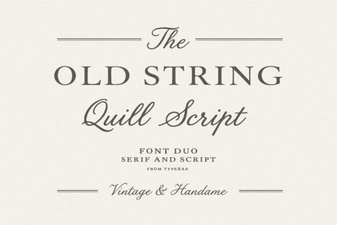 Old String Font Styles for Modern Projects
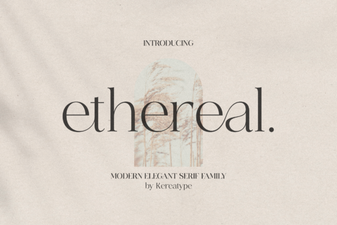 Ethereal Fonts for Modern Web Design Projects
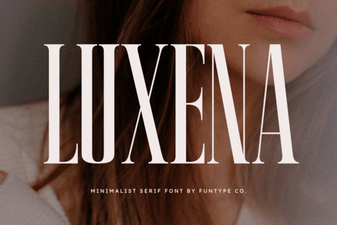 Luxena Font: Elegant Typography for Creative Projects
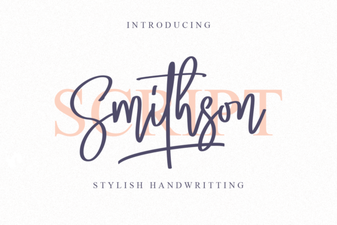 Smithson Font: Modern Design for Digital Projects
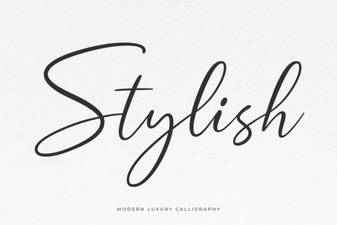 Unleash Creativity with Stylish Fonts for Design
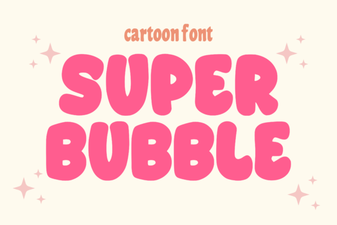 Crafting with Super Bubble Fonts for Projects